#1 Software for Window Treatment Companies

Professional Measuring Software for Window Treatments

The all-in-one app for window treatment professionals. Track clients, record measurements for blinds, shades, shutters & drapes, and generate professional PDF reports instantly.

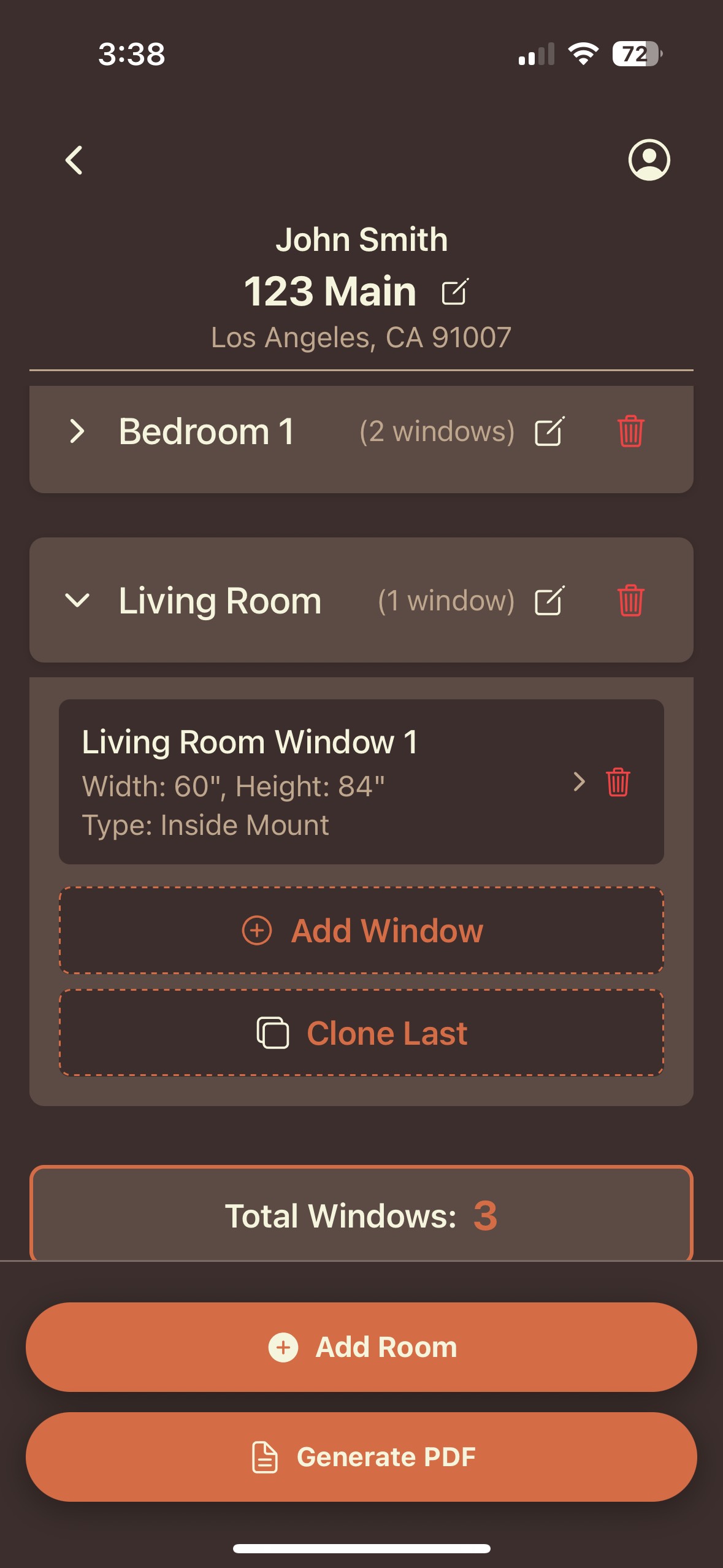
Window Treatments Pro App Screenshot

How It Works

Streamline your workflow in four simple steps.

1. Sign Up

Create your account and set up your business profile.

2. Add Clients

Input client details and create a new project folder.

3. Track Projects

Add rooms, windows, and record exact measurements.

4. Generate PDFs

Export clean, professional measurement sheets instantly.

Features

Everything You Need to Succeed

Client Management

Store client info, site addresses, and contact details securely in one place.

Automatic Measurements

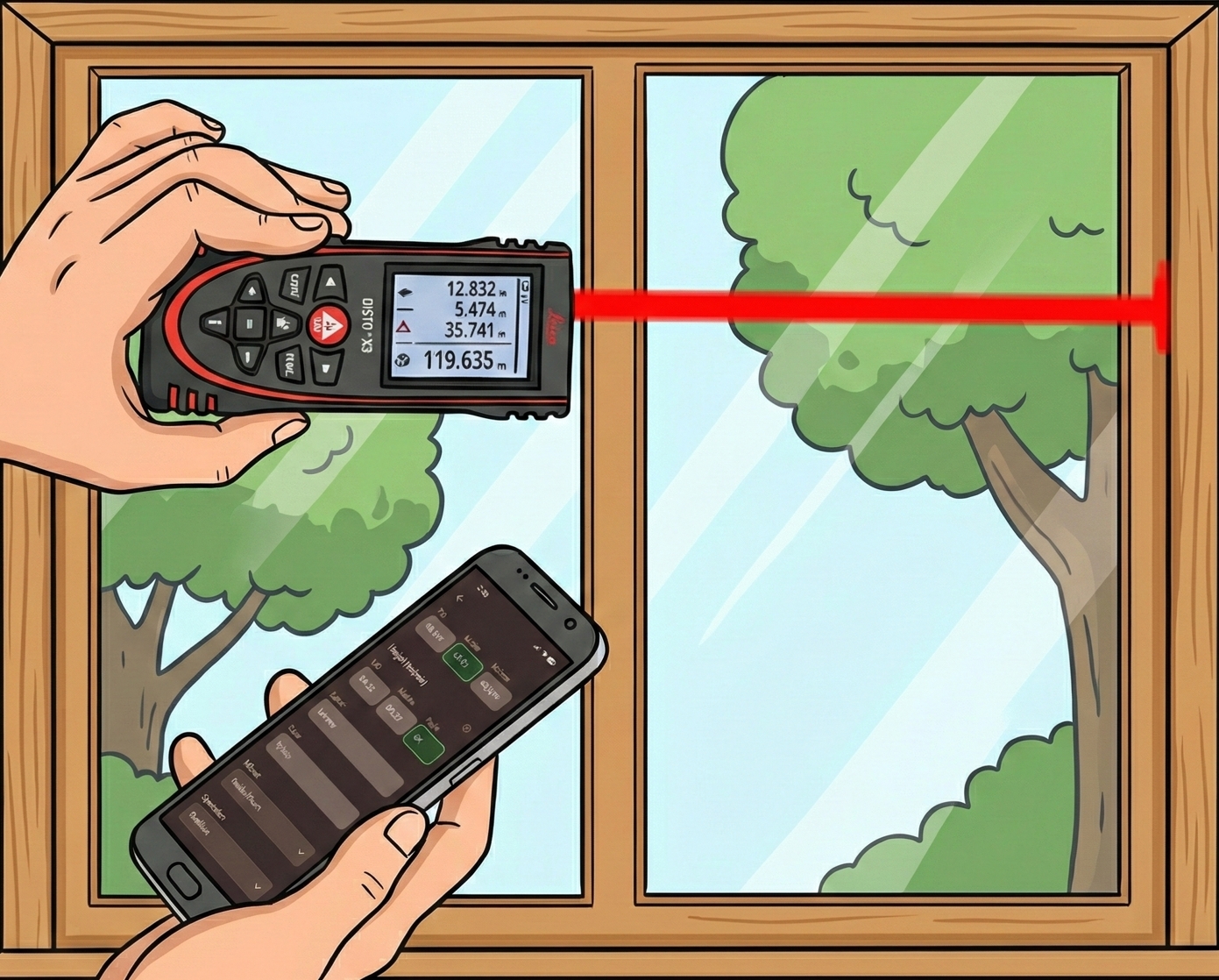
Record measurements with a bluetooth laser device and drop the pen and paper!

Window Treatment Measuring

PDF Generation

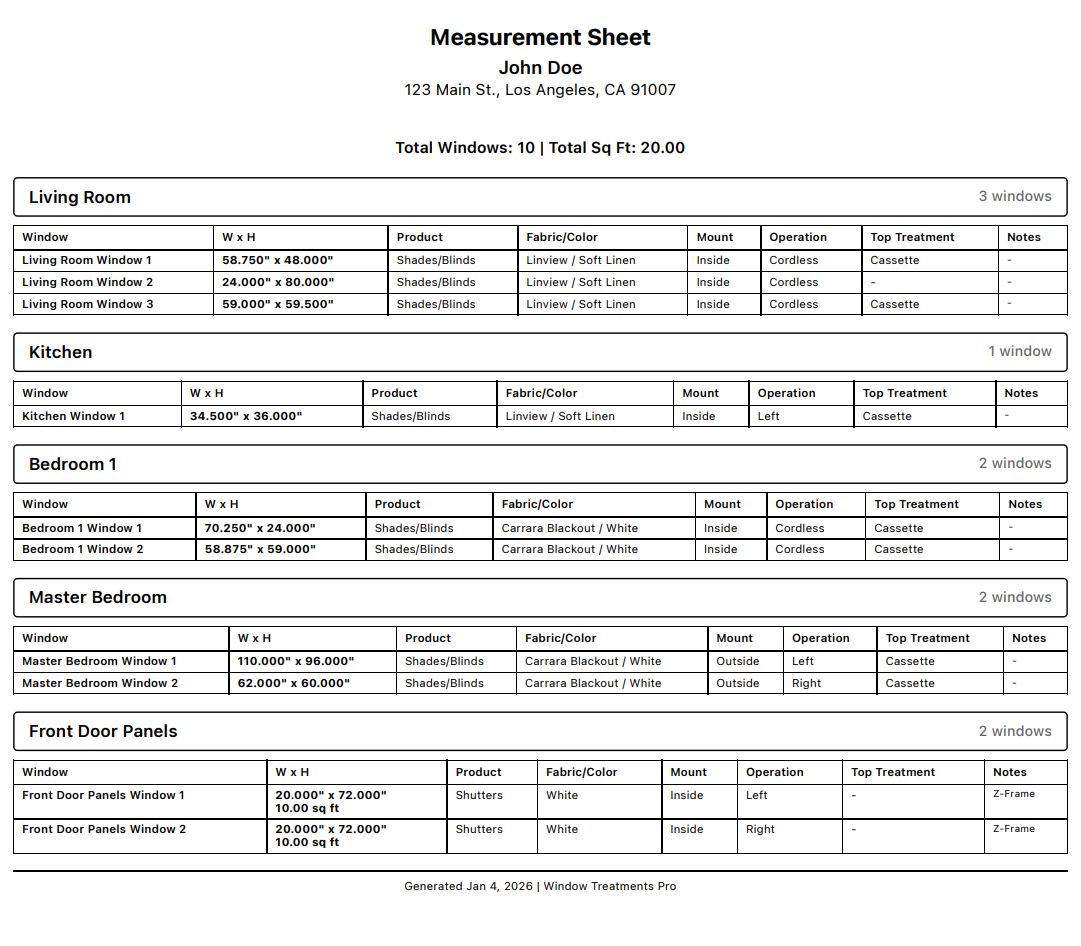
Create instant professional measurement reports to view in the app or email anywhere.

Affordable

Affordable subscription plan with 7 day free trial! Cancel Anytime.

Example Measurement Sheet

Example Measurement Sheet

Frequently Asked Questions

Is my data secure?
Yes, we use industry-standard encryption to store your client data and measurements. Your data is backed up to the cloud automatically.
Can I cancel my subscription?
Absolutely. You can cancel your subscription at any time through the App Store or Google Play Store settings. You will retain access until the end of your billing cycle.
How do I connect a laser to the app?
Make sure the device and your mobile device has bluetooth settings turned on. On the laser device you will need to turn on Keyboard Mode for the data to transfer into the app. Please see your laser device's manual for instructions on how to do that. We will make support videos soon.
Do I need a laser to use the app?
No! You can still enter measurements manually yourself.
My phone's keyboard isn't showing up sometimes?
If you have properly setup your Leica Device with keyboard mode and need to type using your phone's keyboard, hold the "+" button on the laser device for about 2 seconds until a beep. This will prompt your phone's keyboard!
Will there be any future updates or additional services provided?
Most definitely! Please let us know using the in-app feedback of any features you would want to add or change and we will do our best to implement them ASAP.
We have multiple installers and sales people. Will they all need their own subscription?
Yes each individual member will need a subscription but we have a feature that allows you to join a company together on the app so all your installers and sales people can share the same data!